FIREFOX ADD-ONS
Firefox / Zen
Install Ultrafill from Mozilla Add-ons. Fill, crop and pan video, then make yourself comfortable with optional local picture controls.
Install for Firefox Ultrafill.Get Ultrafill
ULTRAFILL / ZOOM VIDEO TO FILL.
Zoom, crop and pan HTML5 video to fill your player.
For Firefox, Zen and Chromium, with optional local picture controls.
No signup for playback. No premium tier. No analytics.
SAME PROJECT. YOUR BROWSER.
One open-source project.
Clear options for installing it.
FIREFOX ADD-ONS
Install Ultrafill from Mozilla Add-ons. Fill, crop and pan video, then make yourself comfortable with optional local picture controls.
Install for FirefoxCHROME WEB STORE
Install Ultrafill from the Chrome Web Store. Zoom, crop and pan video in Chrome and compatible Chromium browsers, with the same optional local picture controls.
Install for ChromeLESS LETTERBOX. MORE LANDSCAPE.
Pick a player shape. Toggle fill. Move the focus.
That’s the idea—try it right here.
 Original picture
Interactive framing illustration. Filling crops the edges; it doesn’t invent missing picture. Actual results depend on the video and player.
SMALL CONTROLS. USEFUL DIFFERENCES.
Start with the frame. Everything else is optional—and included.
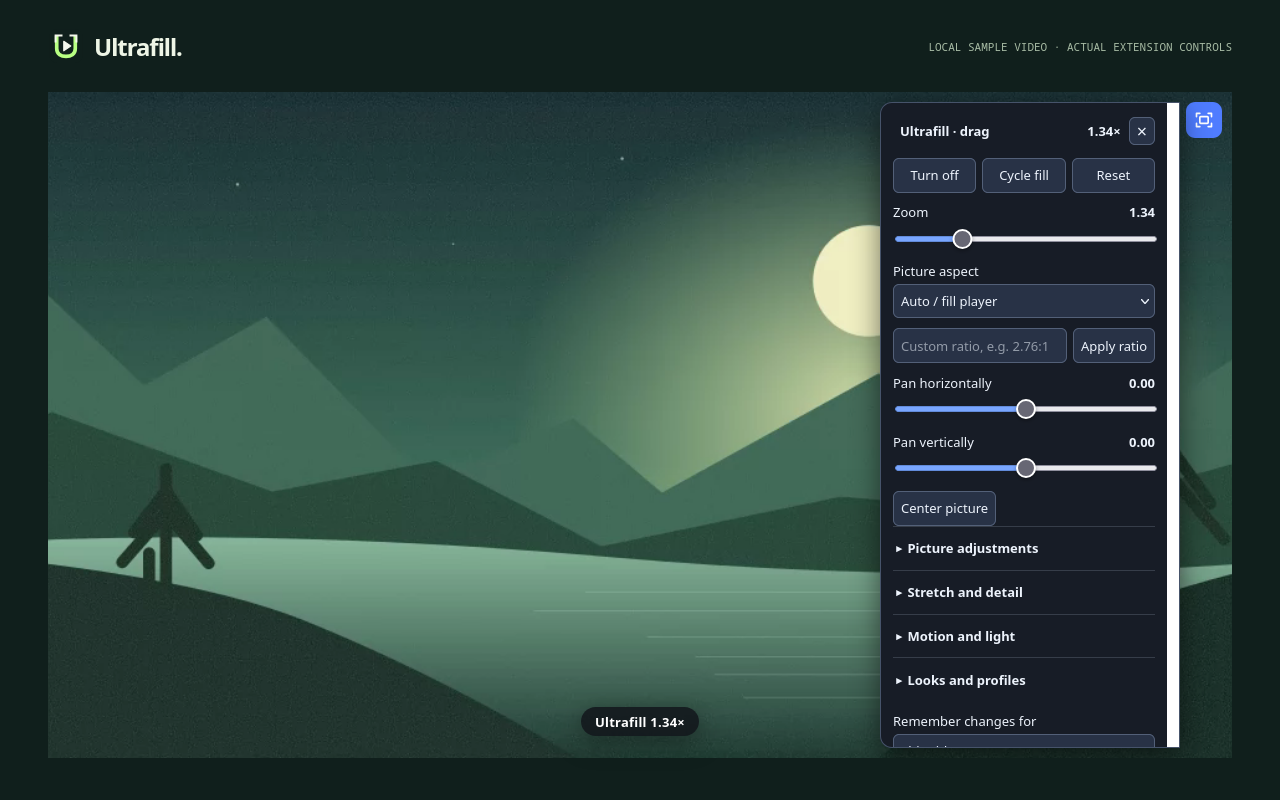
Zoom, pan, custom ratios and stable black-bar detection. A quiet, draggable panel keeps the controls inside the player.
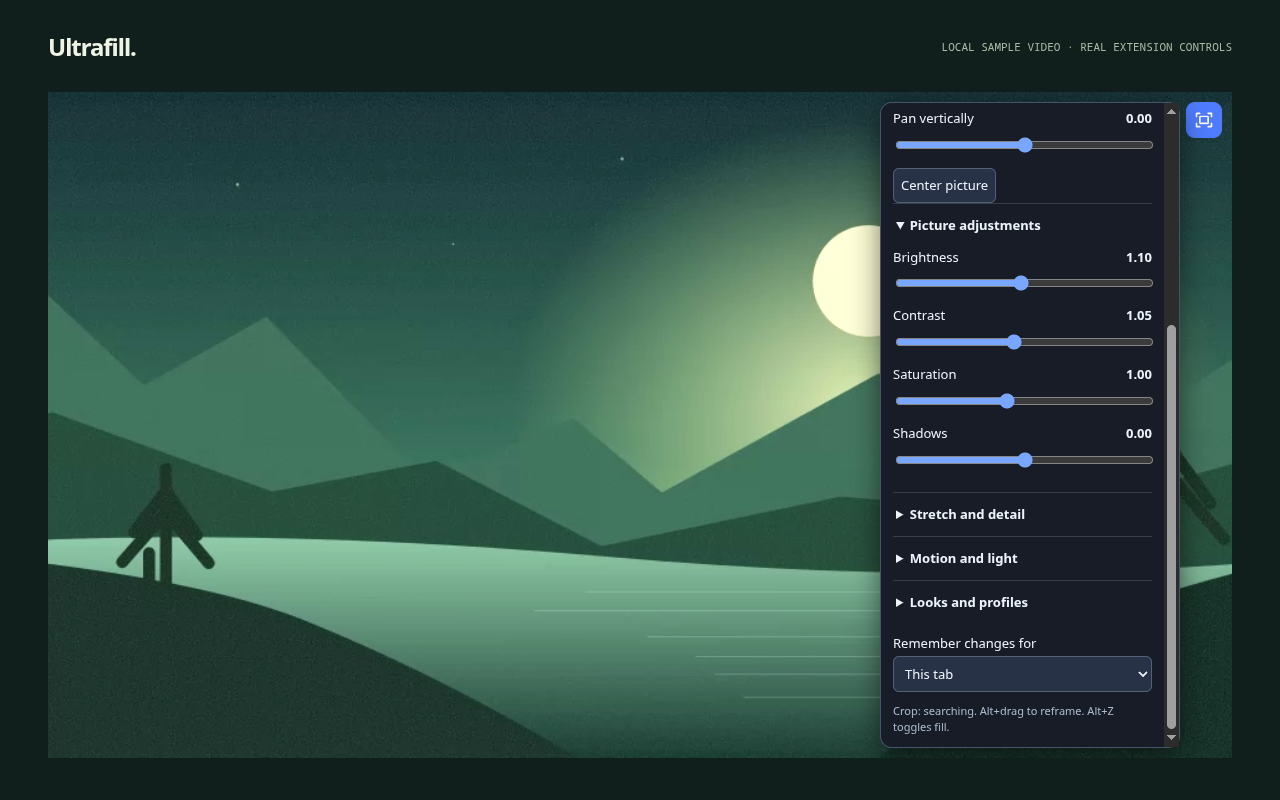
Brightness, contrast, shadows, sharpness and selective vibrance. Elastic stretch protects the center while the edges take more of the change.
Readable video can drive sampled ambience and an explicit audio pulse. Motion interpolation and HDR highlights run only where their requirements are met.
Named profiles and Video, Tab, Site or Global memory. Export your settings. Opt into browser-account sync only if you want it.
REAL BROWSERS. REAL CONTROLS.
Firefox and Chromium controls on an original local sample video.
No streaming account or uploaded media needed.
A PUBLIC PROJECT. A SIMPLE PROMISE.
Ultrafill is maintained by Redbull Lunatic and released under the MIT license. Help fix a player, improve accessibility, review a translation, or send a small patch.
Pseudonymous contributions welcome. Small patches and thoughtful feedback count.
The picture is
the point.
A FEW THINGS TO KNOW.
Framing works with many HTML5 players, including embeds and discoverable open shadow roots. Sites can still impose restrictions. Pixel effects need readable frames; protected or unreadable media keeps ordinary playback and manual framing. Native Picture-in-Picture and closed site shadow roots have browser limits.
Picture effects use WebGL2, and supported HDR uses WebGPU. The browser chooses a physical or software graphics backend. Optical-flow search for interpolation currently runs on the CPU, with frame synthesis in the graphics pipeline. The local performance display reports the backend honestly and reduces work under load.
HDR highlights need known SDR source metadata, a compatible HDR display/output and an extended WebGPU canvas. Native HDR sources retain their native pipeline. Unsupported configurations say so. This does not recover detail missing from the original recording.
Ultrafill has no analytics or developer data server. Frames and audio energy stay local. Browser sync is off by default; enabling it sends preferences, profiles and chosen site rules through your browser account, excluding saved site/tab viewing state. See the privacy policy for details.
Chrome and Chromium use the same Manifest V3 extension build, sharing the core source with Firefox. Install for Chrome through the Chrome Web Store, or explore the public source.
Yes. Pseudonymous contributions are welcome. Use a name and email you are comfortable publishing in Git commits. Small patches can also be sent to the project email. Please never send private media or account credentials.
THE NEXT VIDEO CAN FEEL A LITTLE BETTER.
Free. Open source. Made to stay out of your way.